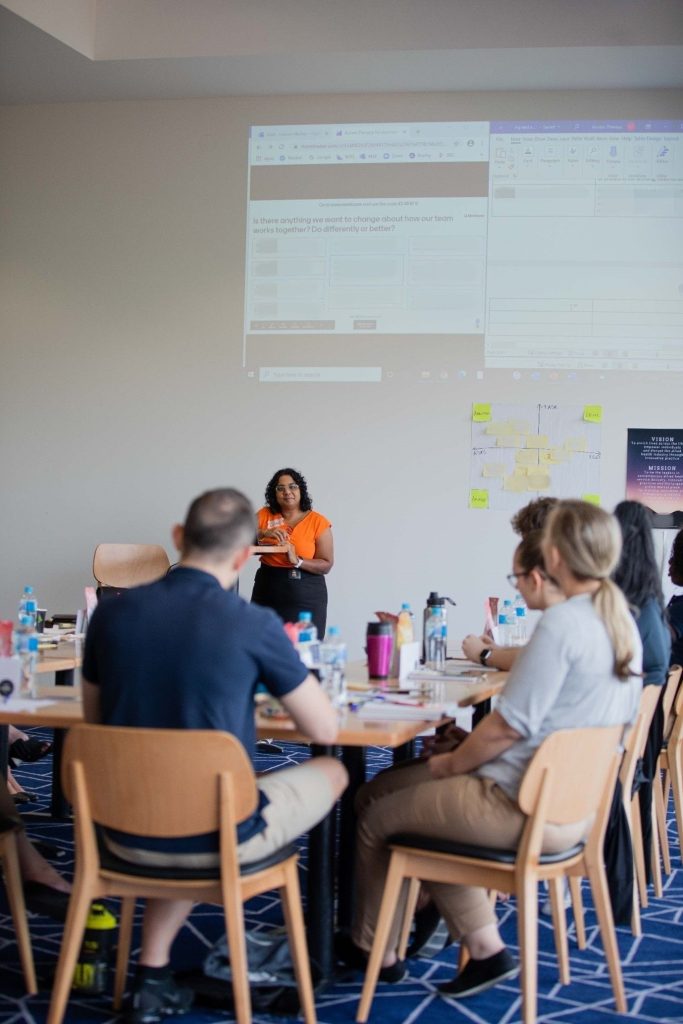
Hybrid meetings – when you have a mix of attendees in the room and online – are the new reality since Covid. And like them or loathe them, they’re here to stay!
Let’s face it, hybrid meetings are hard to love. Technology problems, lack of in-person connection, and difficulty in participating for online attendees have driven us all around the bend at some point or other.
Also, hybrid meeting culture is often appalling. Online attendees are used to being treated as if this meeting is a webinar and they are just there to listen. In-person attendees are used to treating hybrid meetings like a “normal” meeting and forgetting the online attendees are there.
Hybrid meetings have such a bad rap and have been done so poorly so often, people have low expectations for their involvement and productivity of the meeting overall.
As a professional facilitator I’ve run hybrid meetings where people actually went away smiling – it is possible! Here are my facilitation tips for your next hybrid meeting, to keep these potentially tricky sessions on track and ensure a productive use of everyone’s time.
Go out of your way to make online attendees feel included.
When it’s time to open up the floor for Q&A or discussion, always call on the online attendees first, to balance the power in the room and make sure they’re not forgotten. Start this at the very beginning of the meeting during the introductions, and continue the practice throughout.
This acts as a gentle reminder to everyone in the room that we have people attending online that we need to include in our discussions. It also signals to the online folks that unlike other hybrid meetings they may have attended, this is not about sitting back and listening – the group is interested in what they have to say and will be giving them the space to contribute their thoughts.
You can also bring a small physical avatar like a doll that acts a reminder to everyone in the room that there are people attending online and we don’t want to forget about them! See photo below.

Don’t forget to allow time for online participants to come off mute and respond when asked for comment. Encourage them to put their video on. Position the in-room camera so they can see who’s speaking whenever possible. Make use of the chat function in Teams/Zoom to let them know what’s happening in the room if they can’t see or hear.
Also don’t forget to tailor your interactive activities, to make sure online attendees can participate equally. This could mean a shared online document or interactive online tools like Mentimeter or FigJam that all attendees use, both in the room and online, so everyone can see everything. If you’re using butchers paper or a whiteboard, deputise someone in the room to be a ‘buddy’ for the online attendees and take photos of the butchers paper, which they can email or text to the online folks so they can see what’s happening.
Making your online attendees feel included will improve participation and goodwill, leading to better meeting results.
Change your facilitation approach for a hybrid meeting.
Being online still feels awkward to many people and makes them hesitant to contribute, so you may need to use more techniques than usual to draw out the conversation. You may need to be more directive than usual, specifically inviting individual attendees to speak instead of letting the conversation be as free-flowing as it would if everyone was in the room together.
It can be harder to read body language and facial expressions when people are online, so you’ll need to listen closely for how things are being said as well as what is said.
Hybrid meetings also need more time allocated in the agenda than a typical ‘in person’ meeting. The discussion won’t move as fast or smoothly as it would if everyone was in the room – online people need time to come off mute, there may be temporary technology hiccups, or people will accidentally talk over each other and then spend time apologising before accidentally talking over each other again! These moments can all add up to a significant chunk of time.
Another difference is recruiting other people to help when you might ordinarily facilitate on your own. Ask someone to keep an eye on the meeting chat or alert you to any raised hands from online attendees that you might miss. Allocate someone in the room to be responsible for admitting online attendees to the meeting and replying to their ‘help!’ texts if they run into technology issues. Sharing the load will allow you focus on making the discussions as productive and efficient as possible.
Have a Plan B if the technology fails in hybrid meetings.
Ah technology – it’s great when it works. We’ve all been there when the audio doesn’t work, someone keeps dropping in and out, or the online meeting won’t load and the dreaded spinning wheel of death appears on the screen. The two key things you can do to stop technology from derailing your hybrid meeting are:
- Be prepared.
- Go with the flow and don’t get flustered – the group will be looking to you for leadership here!
Some tips for when the tech goes pear-shaped:
- Have backup activities you can use on the day while the tech issues get sorted out in the background. Be ready with some discussion questions that attendees can break into pairs and discuss, or be prepared to move to another activity in the agenda.
- Email online attendees a copy of the slides and other meeting documents before the meeting. If they can’t see your shared screen due to technology issues, they’ll still have their own copy they can follow along with.
- Test any online tools or shared documents beforehand to make sure people can access them without problems. Have a Plan B in case they still fail! You could make use of the chat function with its emoticons, or ask people to email or text their contributions.
- Invest in your own portable Bluetooth speaker and bring it with you to every hybrid meeting, in case the venue’s AV equipment fails. It’s not so bad if attendees can’t see each other, as long as they can hear each other, and they can always dial into the meeting using their phone if the videoconference setup isn’t working.
Hybrid meetings may not be as smooth as in-person meetings, but they don’t have to be hideous. With the right approach and planning, you can still be productive, inclusive, and get what you want from the discussions.
Got a hybrid meeting coming up? Book a free 30 min chat with Renée about our facilitation services.
Read more about Renée’s facilitation experience and facilitation training services.
Like this blog? Subscribe here to be notified about articles like this one.